An always-open museum in your room
TiiHub on Apple Vision Pro turns your physical space into a persistent AR gallery for everything you've scanned and collected. Place objects on real surfaces with hand tracking, toggle physics from gravity to zero-G, and step inside 360° captures in full immersion.
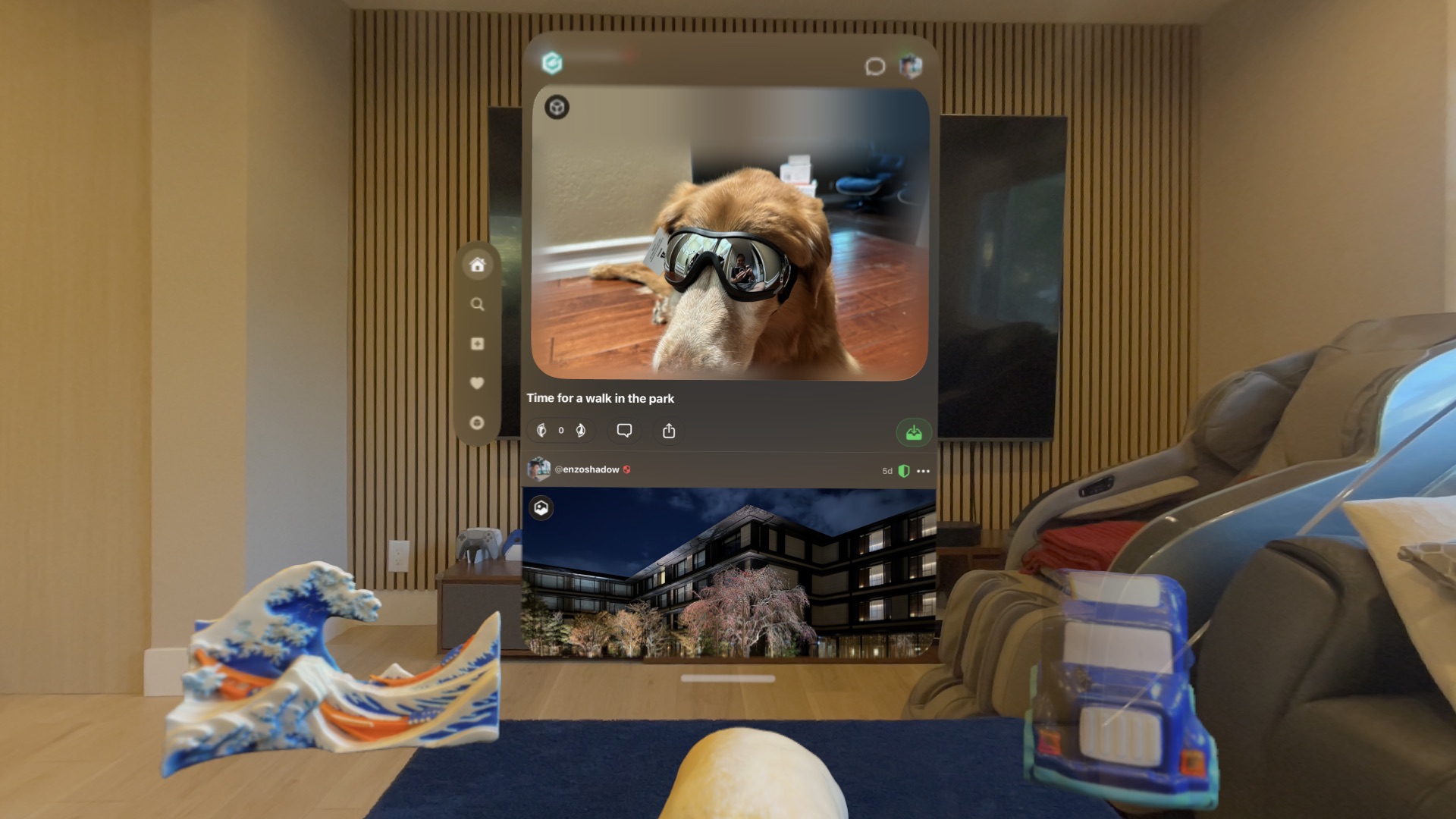
TiiSpace: your room is your gallery
TiiSpace turns your physical space into a personal AR gallery. Collect 3D-scanned objects from other users and place them on your desk, shelf, or floating in mid-air. Everything persists exactly where you left it, anchored to real surfaces across every session.
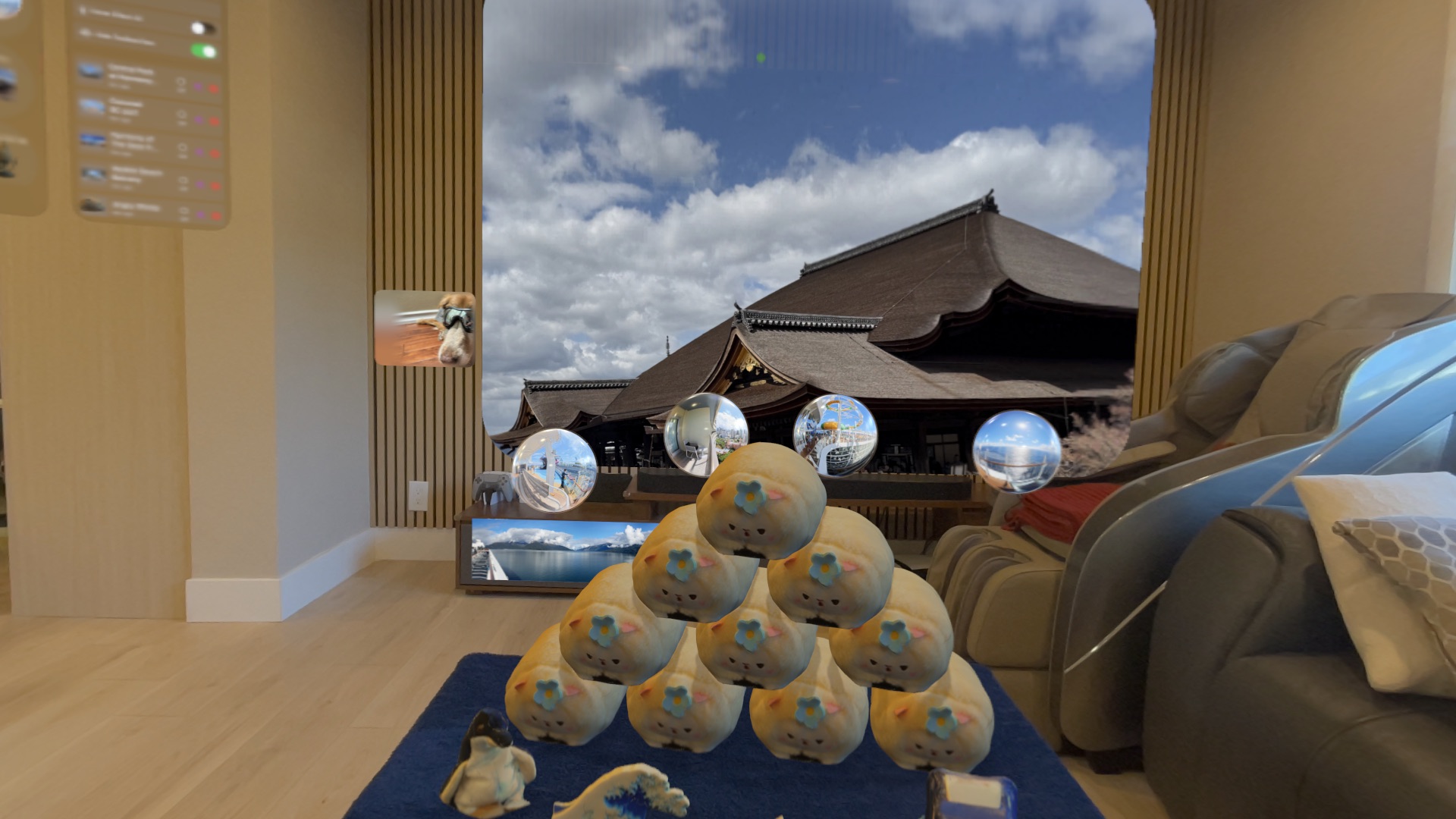
Objects placed in your room with the TiiSpace panel
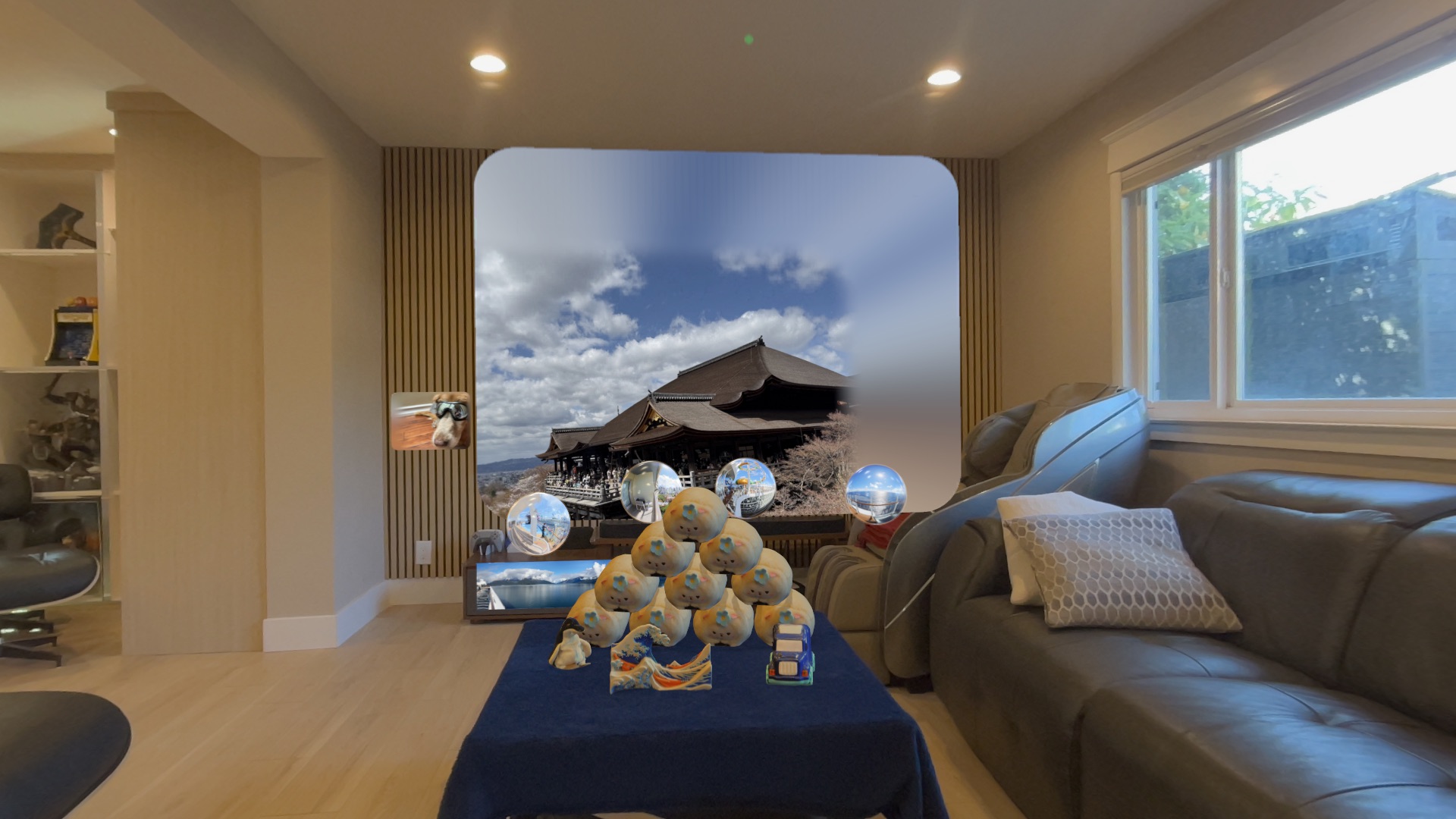
A full room gallery with objects, photos, and panoramas
See TiiSpace in action
Watch 3D objects get placed, physics toggled, and hands interact with AR content in a real living room.
Natural hand interaction
TiiSpace tracks all 26 joints in each hand for precise, natural interaction with placed objects. No controllers, no learning curve. Just reach out and interact.
Grab and Drag
Pinch and drag objects to move them anywhere in your room. Objects follow your hand smoothly with velocity tracking. Release with speed and objects fly with realistic inertia.
Pinch to Scale
Use a two-finger magnify gesture to resize objects. Scale from tiny miniatures up to 3x their original size. A percentage indicator shows the current scale during gestures.
Rotate Freely
Two-finger twist gesture rotates objects in 3D. Switch between scaling and rotation mode per object or globally. The object's orientation is preserved during pivot drags.
Real physics simulation
TiiSpace includes a full physics engine powered by RealityKit. Objects interact with your real room geometry, including floors, walls, tables, and shelves detected by ARKit.
Gravity Mode
Enable gravity and objects fall, bounce, and roll on your real furniture. Drop a 3D-scanned vase on your desk and watch it land, tip over, and settle naturally.
Zero-G Mode
Switch to zero gravity and objects float in place with minimal damping. Give them a push and they drift across your room. A space-like sandbox in your living room.
Static Placement
Turn physics off entirely for precise, anchored placement. Objects stay exactly where you put them, unaffected by gravity or collisions. Ideal for gallery-style displays.
Room persistence across sessions
When you close TiiHub and come back later, every object is in exactly the same position. TiiSpace uses a hybrid persistence system combining ARKit world anchors with local coordinate storage.
World Anchors
Each placed object is tied to an ARKit world anchor that persists across app launches. The anchor remembers the exact physical location in your room, even if the world origin changes.
Multi-Room Detection
TiiSpace uses ARKit's RoomTrackingProvider to detect which room you're in. Each room has its own reference anchor and object layout. Walk to a different room and your objects follow.
Saved Profiles
Save named room profiles to switch between different arrangements. Keep a work setup, a showcase layout, and a fun physics sandbox. An auto-save profile captures your layout every time you exit.
Smart placement features
Auto-Sleep
Objects that settle on a surface automatically freeze in place. This prevents them from shaking when ARKit updates the room mesh. Wake them by touching, dragging, or changing physics mode.
Plane Snapping
Dragged objects snap to nearby horizontal surfaces when you release them. A small offset keeps them slightly above the surface for clean placement.
Collision Detection
Objects collide with each other, with your real walls and furniture, and with your hands. A confirmation dialog appears when you try to place an object in an occupied space.
Wall Mounting
Photos and flat media can be embedded directly into walls. TiiHub detects vertical surfaces and insets the content for a picture-frame effect with no grounding shadow.
Per-Object Toolbox
Every placed object has a floating toolbox with delete, reset size, physics toggle, scale/rotate switch, animation playback, and immersive viewer buttons.
Bulk Controls
Select all objects and apply physics, scaling, or rotation mode in bulk. Remove all objects, toggle hover effects, or enable auto-sleep globally from the dropped items panel.
Immersive media that surrounds you
TiiHub supports more media types than any other social app. On Vision Pro, each type gets a dedicated immersive viewer that takes full advantage of spatial computing.
Spatial Photos
View spatial photos captured on iPhone 15 Pro and later in true stereoscopic 3D. Switch between a floating window and full immersive mode.
Spatial Video
Watch spatial videos with depth and dimension. TiiHub uses Apple's native AVExperienceController for the best possible stereoscopic playback.
360° Photos & Video
Step inside 360° content. Photos and videos wrap around you in a full sphere, with look-around viewing powered by head tracking.
Panoramas
Panoramic photos display as a cylindrical arc matching Apple's own Photos app. The image curves around you at a natural 2-meter viewing distance.
3D Models in Portals
3D objects appear in a portal with a custom skydome and three-point lighting. Rotate and inspect them, or open in full-space mode for 1:1 real-world scale.
AI Spatial Scenes
Regular 2D photos get converted to spatial 3D scenes using Apple's on-device AI. Flat images gain depth and dimension automatically on visionOS 26.
Full social network, built for Vision Pro
TiiHub isn't just a viewer. It's a complete social platform with feeds, communities, voting, messaging, and profiles, all designed for the spatial computing era.
Floating Feed
Browse your feed in a visionOS window that floats in your space. Scroll through posts, vote, comment, and collect items without leaving your room.
Hubs & Communities
Join topic-based communities. Post to public, restricted, or invite-only hubs. Sort by hot, top, new, or controversial.
Doodle Canvas
Draw directly on Vision Pro. The doodle tool includes pencils, shapes, colors, and thickness controls for creating art in your spatial workspace.
What you need
TiiHub for Vision Pro requires Apple Vision Pro running visionOS 2.0 or later. The companion iPhone app handles 3D scanning and content capture. Both apps sync through one account.